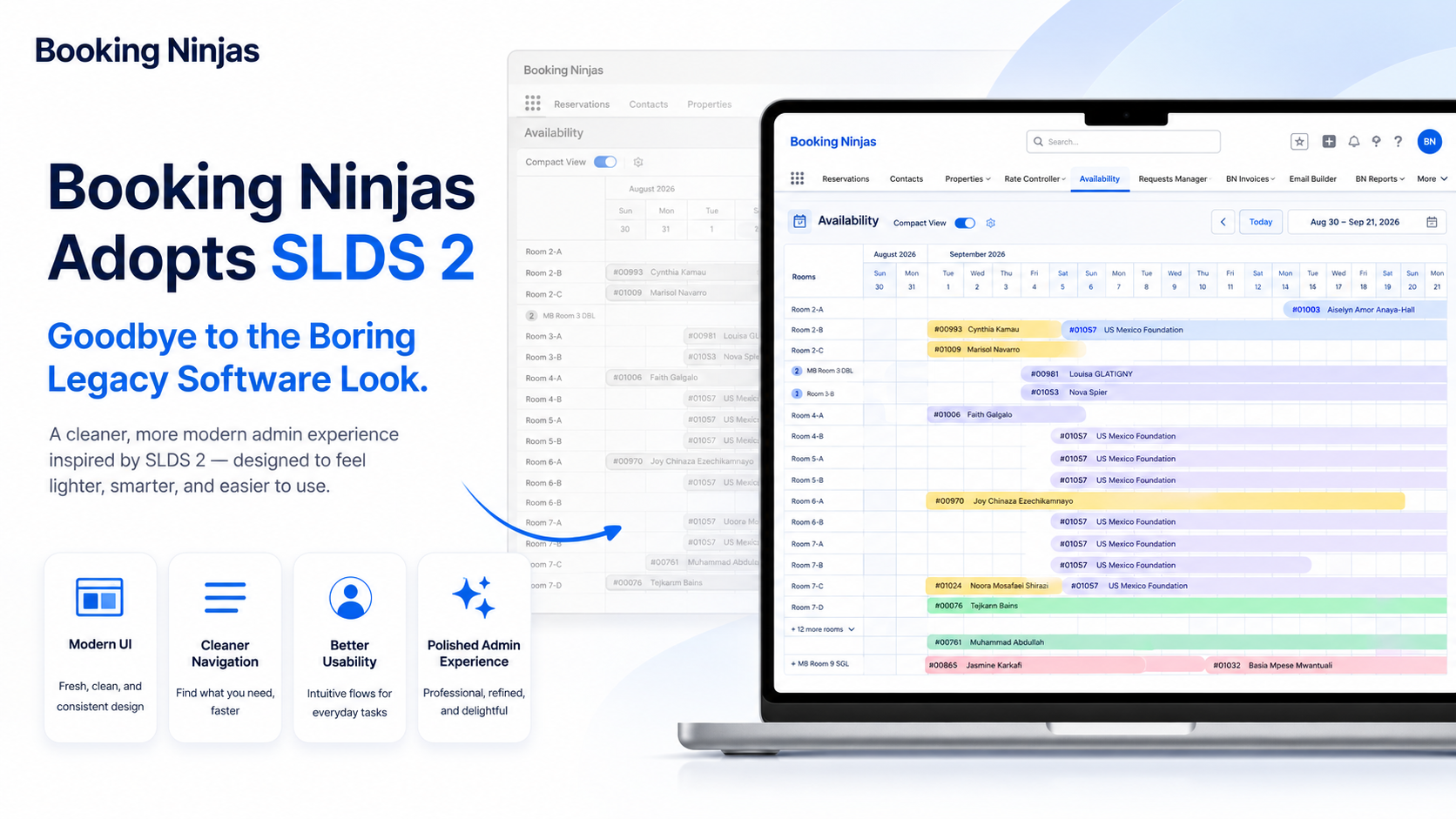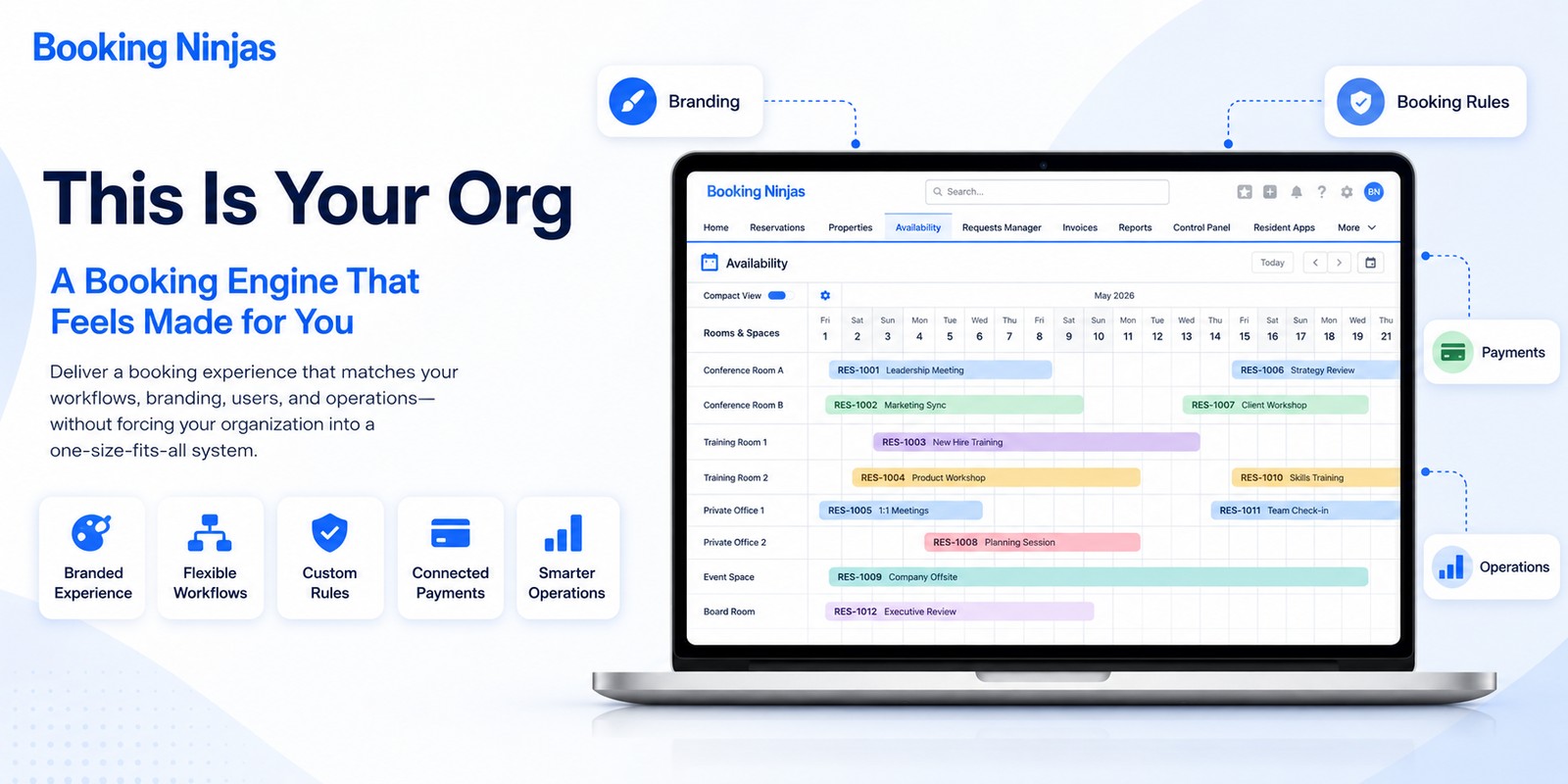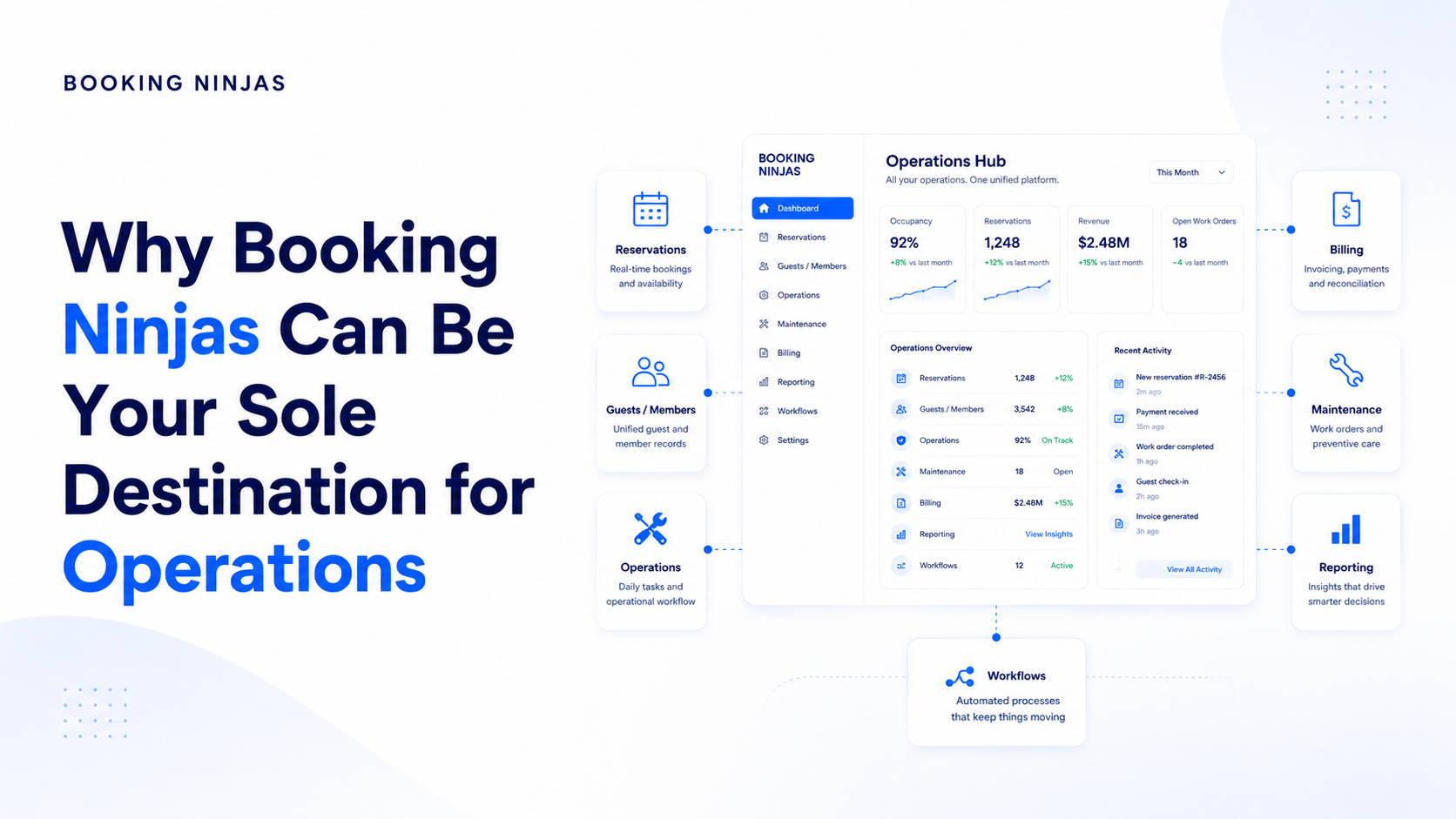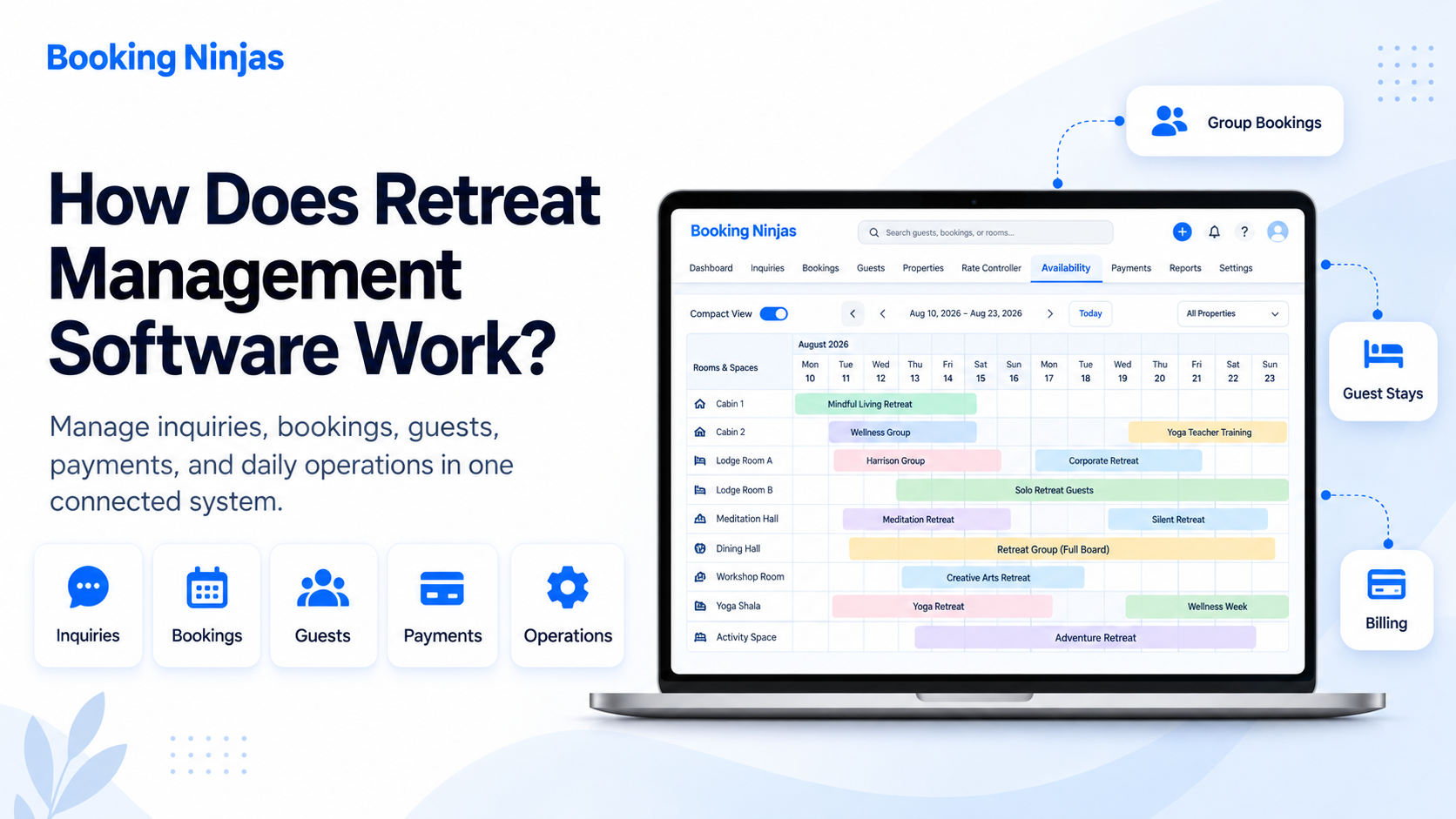
Retreat management software connects the many parts of a retreat that would otherwise be managed in separate spreadsheets, emails, booking tools, payment records, and staff notes.
A retreat center is rarely managing only a room booking.
One retreat may involve an organizer, several guests, several rooms, meals, classes, meeting spaces, deposits, schedules, forms, special requests, onsite purchases, and a final balance.
That is why retreat center management software needs to do more than take reservations.
The goal is to keep the booking and everything connected to it organized from the first request through the final stay record.
Why is retreat management different from normal room booking?
A normal lodging reservation can be simple: one guest, one room, a few nights, and one payment.
Retreats can be much more connected.
A single retreat may start with one organizer but later involve twenty guests. The organizer may reserve the retreat first, while individual guests later provide their own information, receive room assignments, make payments, or access their own stay details.
The retreat may also include programs, classes, meals, meeting spaces, activities, transportation, documents, and extra charges.
How does the retreat management workflow work?
From the Booking Ninjas point of view, the retreat should move through one connected workflow instead of becoming several separate records managed by different teams.
The organizer or guest starts with a retreat request or reservation.
Staff or the booking flow checks rooms, cabins, spaces, dates, and capacity.
Dates, lodging, group details, rates, guests, and required services are connected.
Participants can have their own records while remaining part of the wider retreat.
Guests are assigned to rooms, cabins, shared spaces, or other configured resources.
Retreat fees, accommodation, deposits, invoices, add-ons, and balances stay connected.
Guests receive the permitted booking details, instructions, documents, and payment information.
Staff manage arrivals, requests, activities, purchases, room changes, and other daily work.
Final charges, balances, stay history, occupancy, and reporting remain connected.
1. It starts with a retreat request or booking
Some retreats start with a direct online booking.
Others start with an organizer asking about dates, room counts, group size, program needs, meals, meeting space, or a package.
The important part is that the information collected at the beginning can continue into the same booking workflow later.
With Booking Ninjas, the Booking Engine can support online booking, while staff can work with reservations through Reservation Management .
If you want the simpler explanation of the customer side, the Knowledge Center explains how online booking works .
2. The system checks what is actually available
Before confirming a retreat, the system needs to know what can actually be booked.
That may include private rooms, shared rooms, cabins, lodges, meeting rooms, activity spaces, or other bookable resources.
Availability Management keeps those bookable items connected to existing reservations and the rules that control when they can be offered.
Retreat centers may also need to separate whether something is available from how many people it can hold. The Knowledge Center explains why availability and capacity are different .
This becomes especially useful when several retreats are happening around the same dates.
3. A group retreat can stay together without losing each guest
Group retreats are one of the main reasons retreat management becomes harder than ordinary room booking.
One organizer may reserve several rooms, but staff may still need to know who is staying in each room, which guests have paid, which information is missing, and which guests belong to the same retreat.
Booking Ninjas Group Booking can keep several rooms, guests, dates, spaces, or related reservations connected under the same group need.
The group can remain visible as a whole while individual guest details are still managed separately where required.
The Knowledge Center also explains how group bookings work .
4. Guests are assigned to the right rooms and spaces
Once the retreat starts taking shape, the group needs to become real room and space assignments.
One participant may need a private room. Two guests may share. A family may stay together. Some people may stay offsite but still take part in the retreat.
Those assignments should remain connected to the reservation and availability records.
If the retreat also uses meeting rooms, treatment rooms, activity spaces, or other shared resources, Resource Scheduling can be included when that workflow is needed.
5. Rates and retreat packages stay connected
Retreat pricing can take many forms.
- Per-night lodging
- One retreat package
- Different room types
- Group pricing
- Seasonal pricing
- Program fees
- Meals or activities
- Optional add-ons
Booking Ninjas Rate Management can support the pricing structure used by the retreat center, including different accommodation types, dates, packages, and configured rate rules.
The exact pricing model depends on how that retreat center sells stays and programs.
6. Deposits, invoices, and balances stay tied to the booking
Billing becomes difficult when the booking lives in one place and deposits, invoices, and extra charges live somewhere else.
With Invoice Management , billing records can stay connected to the guest, group, reservation, or service that created the charge.
Depending on the configured billing workflow, that can include deposits, partial payments, retreat fees, accommodation charges, add-ons, invoices, and remaining balances.
The Knowledge Center gives a simple example in how bookings connect to invoices .
Booking Ninjas does not necessarily need to replace the retreat center's general accounting system. Accounting software can remain separate and connect through supported integrations where required.
7. Guests can get their own place to see what they need
Retreat staff often answer the same questions repeatedly.
- What dates am I booked for?
- What do I still owe?
- Where is my confirmation?
- What should I bring?
- What room am I in?
- Where are my documents?
A Guest Portal can provide a self-service place for reservation details, billing, documents, requests, and other information the retreat center chooses to expose.
The Knowledge Center explains more broadly what customers can do through a portal .
Guests do not need access to the whole internal system. The portal is the guest-facing layer while staff continue working from the operational records behind it.
8. The reservation continues through the actual retreat
The booking should not become useless once the guest arrives.
Booking Ninjas Check-In / Check-Out keeps arrival and departure connected to the reservation.
During the stay, staff may also need to handle room changes, requests, activities, meals, purchases, and other services.
Request Management can help keep guest or operational requests connected to the people responsible for following them up.
A retreat center that sells food, drinks, merchandise, treatments, or other onsite items can also add Point of Sale .
POS is an optional extension, not something every retreat center needs.
The important point is that onsite activity does not have to become a completely separate part of the operation.
What about classes, activities, meals, and retreat programs?
Not every retreat center works the same way.
A wellness retreat may run yoga classes and treatments. A spiritual retreat may have group sessions and meal periods. An education retreat may have workshops and meeting rooms. A nature retreat may combine cabins with guided activities.
Those workflows can be added around the core lodging and retreat setup when they are actually needed.
Booking Ninjas does not require every retreat center to use every module.
The Booking Ninjas Retreat Center solution can start with the workflows creating the most work, then add portals, POS, programs, reporting, integrations, or other pieces when the operating model requires them.
What information should stay connected?
The value of retreat management software is not simply having more features.
It comes from keeping related information connected.
| Record | What it can connect to |
|---|---|
| Retreat or group | Organizer, dates, guests, rooms, spaces, program, billing, documents, and status |
| Guest | Contact details, reservation, room assignment, payments, portal access, requests, and stay history |
| Reservation | Dates, accommodation, availability, rate, guest, charges, changes, and check-in/check-out |
| Room or resource | Availability, assignment, capacity, reservation, status, and location |
| Invoice | Guest or group, reservation, charges, deposits, payments, and balance |
| Request or task | Guest, retreat, reservation, staff owner, status, and operational follow-up |
That shared context is what helps staff move from one part of the retreat to another without repeatedly rebuilding the same information.
How do different staff members use the same system?
Different teams do not need to use the software in exactly the same way.
Reservation staff may focus on inquiries, dates, rooms, and guest details.
Finance may focus on invoices, payments, and open balances.
Program staff may care about participants, spaces, and activities.
Guest services may focus on arrivals, assignments, requests, and communication.
Managers may need booking activity, occupancy, revenue, and wider operational reporting.
Because Booking Ninjas is Salesforce-native, these teams can work from related records while permissions, views, workflows, and reporting are configured around their roles.
The Knowledge Center explains the wider platform choice in Why Booking Ninjas Uses Salesforce .
What can retreat management software automate?
Retreat management software can automate predictable steps when the rules are clear.
For example, a configured workflow may create a follow-up task, send a standard confirmation, update a status, route a request, or trigger another repeatable action when the required condition is met.
Booking Ninjas Workflow & Process can connect these repeatable steps, assignments, approvals, and follow-up.
If you want the simpler explanation first, see what workflow automation means in the Knowledge Center.
Automation does not mean every decision should be left to the system. Unusual group needs, exceptions, important pricing changes, or guest problems may still need a person to review them.
What happens after the retreat ends?
Checkout does not have to be the end of the record.
Reservation history, guest relationships, invoices, payments, room use, group details, and other operational records can remain available for future reporting and follow-up.
Because those records stay connected, the center can use Performance Reporting to build operational views around the information collected during booking and the stay.
This can help the center review questions such as:
- Which retreats are coming up?
- How many rooms are committed?
- Which balances are still open?
- How is occupancy changing?
- Which locations or programs are busiest?
- What happened during an earlier group stay?
The exact reports depend on the information collected and the retreat center's configured reporting needs.
Does retreat software have to replace every other system?
No.
A retreat center may already use accounting software, a payment provider, access tools, email systems, or other specialist software.
The goal is not automatically to replace every tool.
Booking Ninjas Integrations can connect supported outside systems where the required interfaces and project scope allow it.
That lets Booking Ninjas become the connected operating layer while specialist systems continue doing the work they are meant to do.
Does every retreat center need a full management system?
No.
If a retreat center only has a few rooms, simple pricing, no group workflow, and very little work after the booking, a smaller booking tool may be enough.
A more connected retreat management system starts to make more sense when the center needs to coordinate several of these at once:
- Individual and group reservations
- Several accommodation types
- Room assignments
- Programs or activities
- Deposits and payment plans
- Guest self-service
- Onsite purchases
- Staff workflows
- Multiple locations
- Connected reporting
That is the type of operating model Booking Ninjas for Retreat Centers is designed to support.
How does Booking Ninjas approach retreat management?
We do not see retreat management as one giant feature.
We see it as a set of connected workflows.
The starting point is usually the part creating the most work today: booking, group retreats, availability, room assignments, billing, guest communication, or another clear process.
From there, the system can connect more of the retreat operation as needed.
This approach is possible because Booking Ninjas runs natively on Salesforce. Booking, guest, billing, workflow, reporting, portal, and integration records can use the same wider platform foundation.
Frequently asked questions
What is retreat management software?
Retreat management software helps a retreat center manage the bookings, accommodation, groups, guests, availability, pricing, invoices, payments, programs, guest service, staff work, and reporting connected to a retreat.
How does retreat management software work?
Retreat management software works by connecting the retreat booking with accommodation, guests, room assignments, availability, rates, billing, guest information, staff workflows, and reporting so related work does not have to be managed in separate systems.
Can retreat software manage group and individual bookings together?
Yes. Booking Ninjas Group Booking can keep several rooms, guests, dates, spaces, or related reservations connected to one group retreat while individual guest details can still be managed separately where required.
Can guests have their own room assignments?
Yes. Individual guest details and room assignments can remain connected to the wider group or retreat booking according to the configured accommodation and reservation workflow.
Can retreat management software handle deposits and invoices?
Yes. Booking Ninjas can connect deposits, partial payments, retreat fees, accommodation charges, invoices, add-ons, and balances to the appropriate guest, group, or reservation according to the configured billing workflow.
Can retreat guests use a portal?
Yes. Booking Ninjas Guest Portal can give guests access to the reservation, billing, documents, requests, and other information the retreat center chooses to expose.
Can onsite purchases stay connected to the guest stay?
They can when the required POS and billing workflow is configured. Booking Ninjas Point of Sale can be added for onsite products, services, food, activities, or other sales while keeping the transaction inside the wider operating environment.
Does retreat management software replace accounting software?
Not necessarily. Booking Ninjas can manage operational billing and payment records, while general accounting can remain in a separate accounting system connected through supported integrations where required.
Is Booking Ninjas retreat management software built on Salesforce?
Yes. Booking Ninjas is Salesforce-native, allowing retreat bookings, guests, billing, workflows, permissions, reporting, portals, automation, and integrations to use the wider Salesforce platform foundation.
Retreat management works by keeping the retreat connected
A retreat starts as a booking, but it quickly becomes much more than a booking.
Rooms need to be assigned. Guests need information. Deposits need to be tracked. Programs need to run. Staff need to know what changed. Charges may continue during the stay.
Retreat management software works by keeping those pieces connected to the same retreat instead of allowing each one to become another spreadsheet, inbox, or separate system.
That is the operating idea behind Booking Ninjas for Retreat Centers .
See Booking Ninjas for retreat centers
Explore how bookings, groups, lodging, guests, billing, onsite activity, and staff workflows can stay connected.