Add Booking Engine overview video
Booking Engine Overview
Show the customer journey from availability to booking and payment.

Let customers check availability, book, and pay without waiting for staff. Booking Ninjas keeps the reservation and the work around it connected in Salesforce—even while your team is offline.
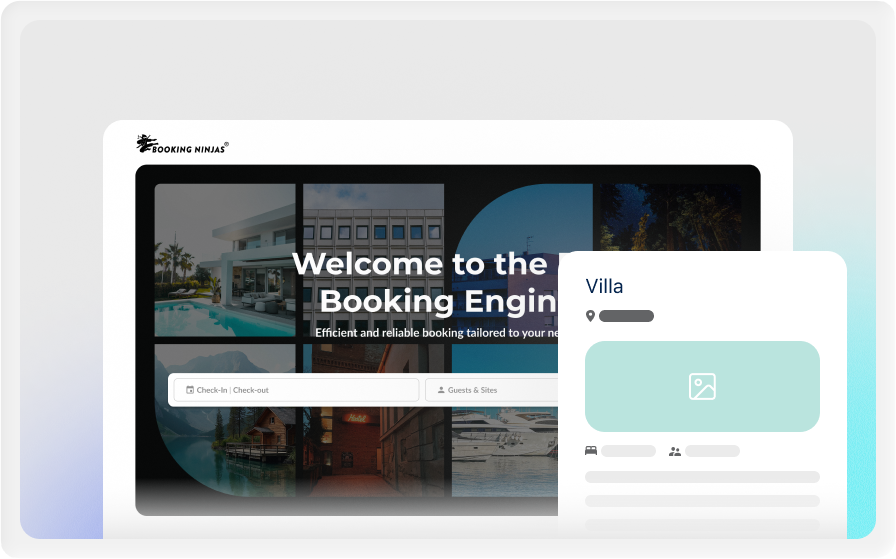
Core is Booking Engine + Reservation System for $400/month. The Booking Engine brings customers in. The Reservation System keeps availability, reservations, billing, check-in/check-out, and daily operations connected.
This is the foundation of Booking Ninjas. The Booking Engine is already included in Core, with no separate Booking Engine subscription.
See how customers find availability, book, pay, and how the reservation reaches your team inside Booking Ninjas Core.
Show the customer journey from availability to booking and payment.
Show how availability, capacity, rates, cutoffs, and restrictions shape what customers can book.
Show the reservation, customer, payment, changes, check-in, and reporting after the booking arrives.
Booking Ninjas is publicly listed on Salesforce AppExchange. The listing gives buyers a public place to review the product and pricing, while Salesforce's review process provides technical and security validation.
Your booking channel does not need office hours. Customers can book while your team is busy, closed, or asleep.
Let customers check availability and book outside normal staff hours.
Give customers a direct path to book instead of waiting for a call, email, or staff response.
Collect payment as part of the configured booking flow.
Create the reservation, update availability, send confirmation, and give staff the record they need.
Control when, what, and how customers can book.
Control when bookings can be created or changed.
Apply configured capacity and availability limits.
Set advance notice, blackout dates, and cutoff times.
Control who can create, edit, approve, or manage bookings.
Core can send standard confirmations and reservation reminders after the booking is created.
Send confirmation details when a booking is created or updated.
Use standard reminder workflows for normal reservation communication.
For email drafting, calling, WhatsApp, conversation history, or multichannel follow-up, add the Communication Hub extension.
Apply cancellation rules, reopen availability, and keep the reservation history for staff and reporting.
Use repeat reservations for stays, programs, standing schedules, or recurring resource use.
The Booking Engine handles the customer journey while Core keeps the reservation connected to operations.
Present the rooms, spaces, units, or resources that can be booked.
Check availability, capacity, rates, cutoffs, and restrictions.
Capture the customer details and create the reservation.
Collect payment through the configured payment flow when required.
Confirm, update, cancel, check in, check out, and report from the same system.
Use the Booking Engine wherever customers need to reserve rooms, spaces, units, or other bookable resources.
The Booking Engine is included in Core with the Reservation System.
Core Package
Core includes both the Booking Engine and Reservation System. There is no separate Booking Engine subscription on top of the $400 Core price.
One-time implementation
Implementation depends on your inventory, booking rules, data, integrations, payments, testing, training, and rollout.
Basic transactional communication and supported built-in integrations are included platform capabilities. Communication Hub, third-party licenses and transaction fees, premium AI, new integrations, and custom development can be separate where required.
See how Booking Ninjas Core compares with manual booking and standalone tools.
| Capability | Manual / Basic | Booking Ninjas | Standalone Tool |
|---|---|---|---|
| Availability | Manual checks | Live availability rules | Usually supported |
| Reservation management | Separate records | Included in Core | Depends on product |
| Booking rules | Manual rules | Configurable rules | Usually supported |
| Billing & invoicing | Separate tools | Included in Core | Often separate |
| Salesforce context | No native connection | Salesforce-native | Requires integration |
| Basic confirmations | Manual | Included in Core | Usually supported |
| Broader multichannel outreach | Separate tools | Communication Hub add-on | Depends on product |
| Best fit | Simple booking needs | Bookings + Salesforce operations | Standalone booking workflows |

Let customers book when they are ready—not only when staff are available. Connect availability, booking rules, payments, reservations, and operations in one Core workflow.
WhatsApp Us
WhatsApp Us