
Recurring Billing on Salesforce
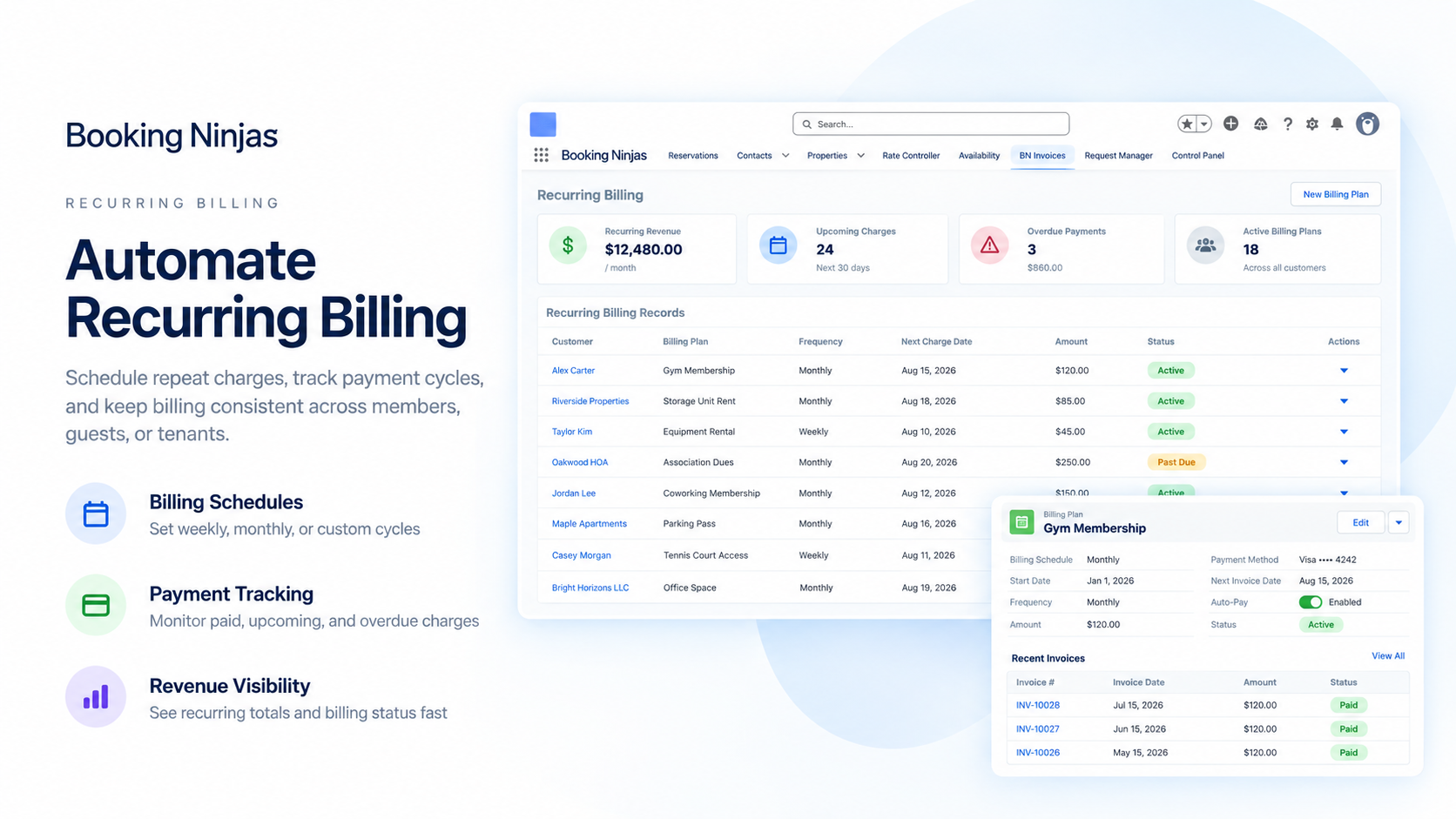
Set repeat billing schedules for ongoing services, agreements, memberships, or other recurring charges and keep invoices tied to the customer and operational record behind them.
Recurring Billing Is Already Part of Core
Core is Booking Engine + Reservation System for $400/month.
Core / Month
No separate Recurring Billing subscription is added on top.
Scheduled Billing
Set recurring invoice schedules around the billing model your operation uses.
Connected Billing
Keep recurring invoices connected to customer, booking, service, and payment records.
Watch Recurring Billing in Action
Show how a billing schedule is set, how invoices are generated, and how staff track balances and changes.
Set the Schedule
Show how staff define the billing frequency, start date, charge structure, and related customer or service record.
Generate the Repeat Invoice
Show the recurring billing cycle creating the next invoice according to the configured rules.
Track Payment & Balance
Show invoice status, payments, outstanding balances, and any approved billing changes.

Verified in the Salesforce Ecosystem.
Booking Ninjas is publicly listed on Salesforce AppExchange, giving buyers an external place to review the product and its public pricing reference.
Set the Billing Schedule Once
Configure repeat billing around the schedule that matches the service or agreement.
-
Monthly Billing
Use monthly schedules for recurring services, longer stays, memberships, or other repeat charges.
-
Quarterly Billing
Use quarterly schedules for agreements or services billed on a three-month cycle.
-
Annual Billing
Use annual schedules for longer-term services, renewals, or annual membership charges where configured.
-
Custom Billing Cycles
Use implementation-specific billing intervals when monthly, quarterly, or annual schedules do not fit.
Handle Billing Changes Without Losing the History
When the recurring charge changes, keep the adjustment tied to the same billing and customer record.

Billing Schedule Changes
Update the timing or amount of future billing according to the configured workflow while preserving the related billing history.

Partial Periods
Support partial billing periods or prorated adjustments where the implementation is configured for them.
Add-On Charges
Add recurring services or other approved repeat charges to the billing structure when the use case requires them.
Cancellation & Credits
Apply cancellation, credit, or adjustment logic according to the organization's billing rules and approval process.
See the Recurring Billing Activity
Use the records captured in Booking Ninjas to review scheduled billing, invoice status, balances, and renewals.
Active Billing Schedules
Review the recurring schedules currently active in the configured operation.
Invoice Status
See which recurring invoices are open, paid, overdue, or otherwise in progress.
Outstanding Balances
Track the unpaid balance connected to recurring invoices and customer records.
Renewal Visibility
Track upcoming renewals or billing milestones where those dates are part of the configured workflow.
Keep Recurring Billing Connected to Operations
Booking Ninjas is Salesforce-native, so recurring billing can stay connected to the customer and operational records behind the charge.
Customer Context
Keep the recurring billing schedule tied to the relevant customer, account, guest, member, or resident record.
Operational Context
Connect recurring charges to the service, stay, booking, membership, or other operational workflow where relevant.
Payment Context
Keep payment status and outstanding balances visible alongside the related invoice records.
Reporting Context
Use recurring billing records in Salesforce reports and dashboards configured for the operation.
Recurring Billing Is Core. Related Workflows Can Be Extensions.
Keep the billing capability separate from the business workflow that creates the recurring charge.
- Recurring Billing — Included in Core
- Invoice & Billing Records — Included in Core
- Membership Plans & Benefits — Membership Extension
- Stored Value — Included with Membership
- Class Enrollment & Attendance — Class App
- Guest / Member / Student Self-Service — Portal Extension
- Broader Email / Calling / WhatsApp Outreach — Communication Hub
Where Recurring Billing Fits
Best where Booking Ninjas manages an ongoing service, stay, membership, or operating agreement that needs repeat billing.

Corporate Housing
Use repeat billing for longer stays, service charges, or other recurring account items.
Learn More
Co-Living
Support recurring resident charges and shared service billing within the configured operating model.
Learn More
Country Clubs
Use Core billing alongside Membership when recurring dues or member charges are part of the workflow.
Learn More
Spa & Wellness Memberships
Use recurring billing with Membership when ongoing member plans and benefits need to stay connected.
Learn MoreRecurring Billing Pricing
Recurring Billing is included in the $400/month Core Package.
Core Package
Booking Engine + Reservation System
Per Month
Core pricing for Booking Engine + Reservation System.
Recurring Billing
No separate Recurring Billing subscription is added on top of Core.
Implementation
One-time implementation is discussed based on scope.
Implementation depends on billing schedules, invoice logic, payment flow, partial-period rules, approvals, data, integrations, testing, training, and rollout. Payment processor, transaction, accounting-vendor, premium AI, new-integration, and custom-development costs can be separate where required. Learn why implementation is discussed before a final price .
Recurring Billing: Booking Ninjas vs Other Approaches
Compare manual billing schedules with recurring billing that stays connected to Booking Ninjas operations.
| Capability | Manual / Spreadsheet | Booking Ninjas | Standalone Billing Tool |
|---|---|---|---|
| Repeat billing schedule | Manual calendar | Configured in Core | Usually supported |
| Invoice generation | Manual creation | Connected to Core billing | Usually supported |
| Operational context | Separate records | Customer + booking context | Requires integration |
| Partial periods / proration | Manual calculation | Where configured | Depends on product |
| Payment & balance view | Manual tracking | Connected billing records | Usually supported |
| Salesforce context | No native connection | Salesforce-native | Requires integration |
| Separate feature fee | Not applicable | No — included in Core | Vendor pricing varies |
| Best fit | Very light repeat billing | Billing + BN operations | Standalone subscription billing |
Frequently Asked Questions
Make Repeat Billing Part of the Operating Workflow
Use Core to connect recurring schedules, invoices, payment status, customer records, services, and reporting in Salesforce.