There is an old picture of business software: crowded screens, endless fields, heavy menus, and pages that seem made for someone who has spent weeks learning how the system works.
Long-time software players helped make that look normal. If a system could handle serious work, people started to expect it to look serious, heavy, and a little robotic too.
We do not think that rule needs to continue.
The software still has to handle the real work.
It just does not need to look like old software while doing it.
Why did powerful software become known for boring screens?
Older business systems were often designed around one main goal: put a lot of information and controls on the screen.
That approach could support complex work, but it also created a familiar style:
- Too many tabs
- Too many fields
- Dense pages
- Heavy menus
- Little visual space
- Very little branding
- Everything looks important
- Long learning curves
The problem is not that the software can do a lot.
Doing a lot is useful.
The problem is making the person using it carry all of that complexity every time they open a page.
You should not need to feel like a NASA operator
Most people are trying to complete a normal job.
They may need to check a booking, approve something, collect a payment, update a customer, see a task, or review a report.
They should not need to understand every part of the platform just to complete that one job.
A useful screen should make a few things clear:
- What am I looking at?
- What matters here?
- What do I need to do?
- What happens next?
- What needs my attention?
- Where is the extra detail?
That is the direction we want Booking Ninjas to keep moving toward.
What is SLDS 2?
SLDS 2 means Salesforce Lightning Design System 2.
It is Salesforce's newer design system for products built on the Lightning Platform.
One important change is that more of the visual style is separated from the working structure underneath it.
That gives Salesforce teams more room to work with themes, branding, colors, spacing, type, borders, shapes, and other parts of the interface without treating every visual change like a new product.
Salesforce explains the change in What Is SLDS 2? . Designers and developers can also use the official Lightning Design System 2 documentation .
What changes visually with SLDS 2?
Salesforce now has a newer visual base through SLDS 2 and the Salesforce Cosmos theme.
The direction includes more intentional spacing, clearer use of color, updated type, softer shapes, and more ways to guide attention around a screen.
| Common older software pattern | SLDS 2 direction |
|---|---|
| Dense screens | More deliberate spacing and grouping |
| Everything competes for attention | Type, color, and layout can guide attention |
| One standard visual style | More flexible themes and branding |
| Styling closely tied to each part | Shared styling hooks can control wider visual choices |
| Repeated visual changes | Shared values can make wider updates easier |
| Older fixed visual patterns | A base built for newer and more flexible experiences |
None of this means every screen automatically becomes simple.
Good design still depends on deciding what belongs on the page, what matters most, and what the person is trying to do.
What does adopting SLDS 2 mean for Booking Ninjas?
Booking Ninjas is built natively on Salesforce.
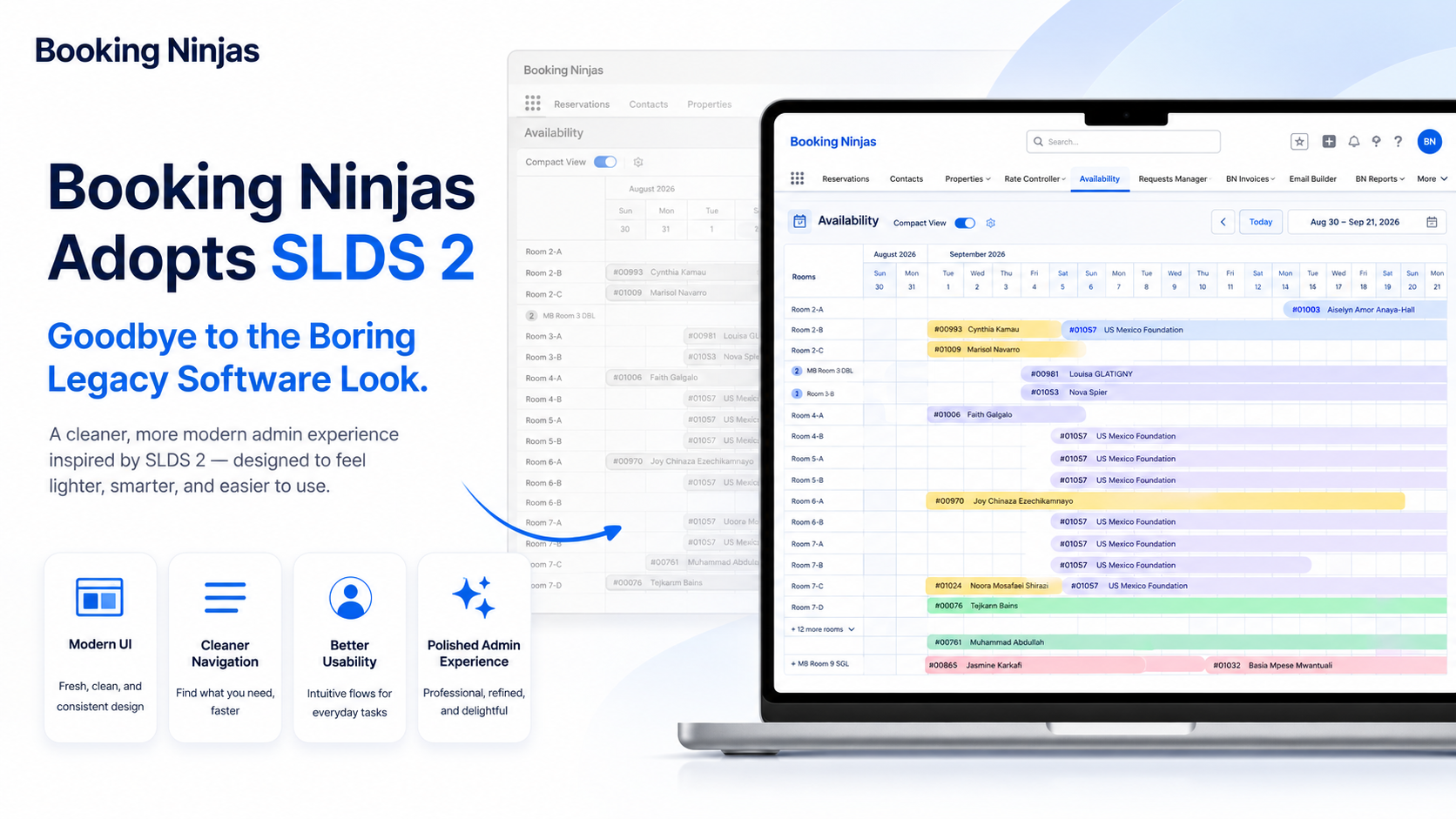
That means we can use SLDS 2 as part of the visual foundation for how our product continues to develop.
We can keep the working parts underneath while improving how users see and interact with them.
- Cleaner pages
- Clearer sections
- Better spacing
- Better use of color
- More flexible themes
- More personal branding
- Clearer actions
- More consistent screens
The reason this works well for Booking Ninjas is also the reason we chose Salesforce in the first place.
Our Knowledge Center explains why Booking Ninjas uses Salesforce : Salesforce provides the wider base for data, users, permissions, automation, reports, and integrations while Booking Ninjas adds the booking and operational layer.
You can also explore the Lightning Platform behind that foundation.
The product still has to work first
A nicer screen does not make weak software useful.
Booking Ninjas still needs to handle the real work underneath: bookings, customers, payments, workflows, permissions, reports, portals, automation, and integrations.
SLDS 2 does not replace those functions.
It gives us a better visual base for presenting them.
Cleaner does not mean every customer gets the same screen
Booking Ninjas already works around a simple idea: the setup should reflect the organization using it.
Our Knowledge Center calls this configuration .
The same Booking Ninjas product can be configured around different:
- Users
- Roles
- Data
- Workflows
- Tabs
- Reports
- Terminology
- Integrations
The visual side can follow the same idea.
One team may spend most of its day in bookings. Another may work mainly with members, payments, tasks, facilities, or reports.
They do not need every screen to give the same information the same amount of attention.
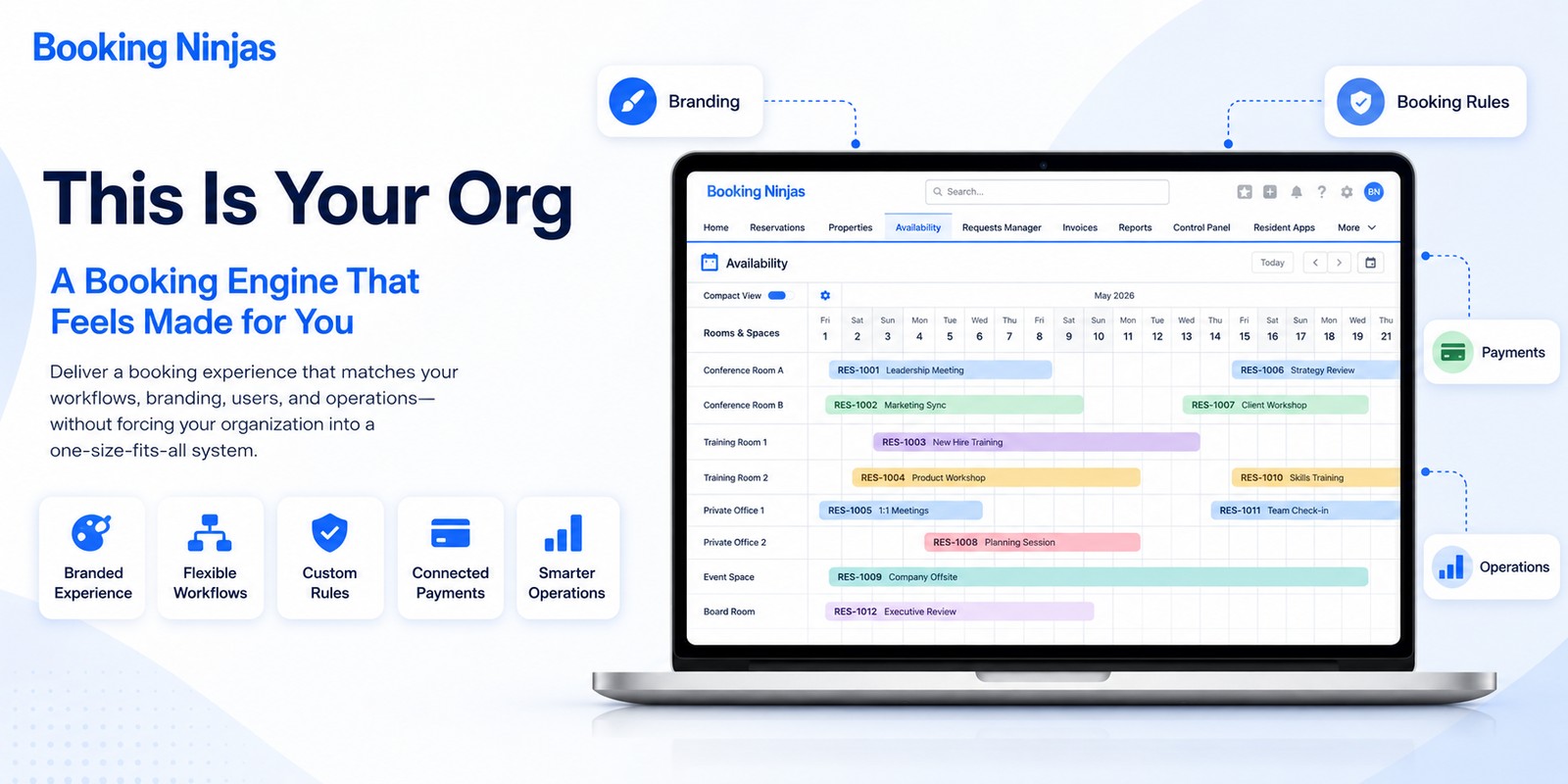
We explain this wider idea in This Is Your Org: A Booking Engine Made for You .
Simple screens can still sit on top of deep operations
This is an important point.
Making software easier to use does not mean removing the useful parts underneath it.
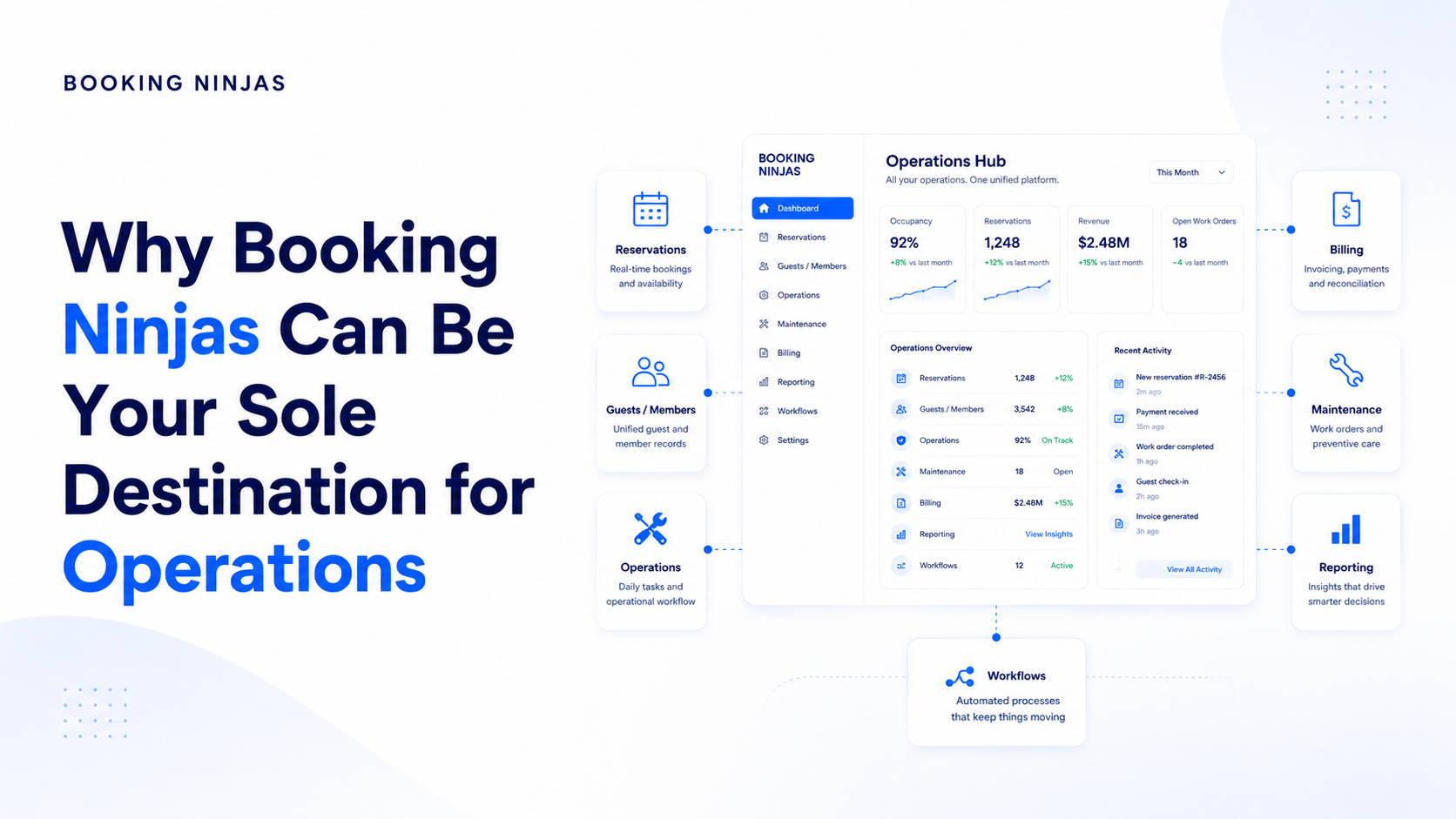
Booking Ninjas can connect bookings with customers, payments, invoices, staff work, requests, facilities, portals, reports, and other parts of an operation.
If you want the simple explanation of that structure, see how Booking Ninjas connects business operations .
The job of the interface is not to show every connected record at the same time.
It is to show the right information when the person needs it.
Different users can need different views
A front desk user may care most about bookings and customers.
Finance may spend more time with invoices and payments.
A manager may need approvals and reports.
Another team may mainly need the work assigned to them.
Salesforce gives Booking Ninjas a base for separating access and responsibilities according to the setup. Our Knowledge Center explains how user access works .
That means one connected platform does not require one crowded screen for everyone.
This is another reason Salesforce matters to us
Booking Ninjas does not need to build every basic platform service from zero.
Salesforce already gives us a wider base for data, security, permissions, automation, reporting, and integrations.
Booking Ninjas can focus more of its product work on bookings and operations.
Now SLDS 2 gives the visual side of that platform a newer and more flexible direction too.
Salesforce describes SLDS 2 as a more flexible design base with stronger themes and branding, while its newer design work also prepares the platform for more dynamic and personalized experiences.
Salesforce provides a newer update in The Next Chapter of Experience Design with SLDS 2 .
A cleaner design also gives AI a better place to fit
AI can add more information to a normal workflow.
It may summarize something, find a pattern, classify a request, suggest a next action, or point out something that needs attention.
If all of that is simply added to an already crowded page, AI can create more noise instead of less.
A cleaner and more flexible interface gives us more room to decide where AI should appear and where it should stay out of the way.
It is also important not to use AI where a simple rule already does the job. Our Knowledge Center explains workflow automation and how repeatable work can follow defined rules.
AI becomes more useful when interpretation, summarizing, classification, pattern detection, or decision support is actually needed.
You can explore Booking Ninjas' AI capabilities and AI Integration for more detail.
Where are we going with SLDS 2?
Our direction is simple.
Keep the product, data, rules, workflows, and integrations people depend on.
Use spacing, layout, type, and color more clearly.
Shape the experience around the organization and its users.
Continue improving as Booking Ninjas and Salesforce improve.
This is not design just for the sake of design
We are not adopting SLDS 2 just because new colors or rounded corners look nicer.
The goal is practical.
We want people to understand their screen faster.
We want important actions to be easier to find.
We want each team to focus on the information that matters to its work.
We want the product to better match the organization using it.
And we want a cleaner place for new capabilities without turning the interface into a wall of information.
The boring legacy software look is not a requirement
Software can handle many workflows, users, records, permissions, reports, and connected systems.
None of that means the interface has to look like it came from another decade.
Booking Ninjas adopted SLDS 2 because we want to keep improving both sides of the product.
The part that does the work.
And the part people actually use every day.
Read more
See the simple reason Booking Ninjas uses Salesforce as its platform foundation.
Why Booking Ninjas Uses Salesforce →Learn what configuration means when Booking Ninjas is shaped around one organization.
What Does Configuration Mean? →See how different parts of the operation can stay connected behind the interface.
How Booking Ninjas Connects Business Operations →See why two customers can use the same Booking Ninjas foundation without ending up with the same setup.
Read This Is Your Org →Read Salesforce's explanation of the design system itself.
Salesforce: What Is SLDS 2? →Explore the official design-system documentation.
Official SLDS 2 Documentation →Frequently asked questions
What is SLDS 2?
SLDS 2 is Salesforce Lightning Design System 2. It is Salesforce's newer design system for products built on the Lightning Platform. It provides a more flexible visual foundation for themes, branding, styling, and newer user experiences.
Has Booking Ninjas adopted SLDS 2?
Yes. Booking Ninjas has adopted SLDS 2 as part of the visual direction for its Salesforce-native product.
Does SLDS 2 change how Booking Ninjas works?
SLDS 2 mainly gives Booking Ninjas a newer and more flexible visual foundation. Booking, customer, payment, workflow, reporting, permission, automation, and integration capabilities still provide the working foundation underneath the interface.
Will every Booking Ninjas customer have the same-looking system?
No. Customers can share the same Booking Ninjas product foundation while having different users, data, branding, tabs, workflows, fields, reports, permissions, and integrations according to their configuration and implementation.
Can SLDS 2 support different branding?
Yes. SLDS 2 provides stronger theming and branding options on the Salesforce platform. The exact Booking Ninjas visual setup depends on the organization's configuration, supported components, and implementation.
Does SLDS 2 mean dark mode is available everywhere?
No. SLDS 2 provides the foundation for Salesforce dark mode, but availability can vary by Salesforce product, edition, release, feature status, and configuration.
Why does SLDS 2 matter for AI?
AI can add summaries, suggestions, alerts, classifications, and other information to normal workflows. A cleaner and more flexible interface gives teams more room to place that information where it helps without adding unnecessary visual noise.
Is Booking Ninjas built on Salesforce?
Yes. Booking Ninjas is Salesforce-native, allowing bookings, customer records, workflows, permissions, reporting, automation, integrations, and other configured operations to use the wider Salesforce platform foundation.
Powerful software. Without the old software look.
See how Booking Ninjas combines a strong Salesforce-native foundation with cleaner screens and a setup shaped around the way your organization works.