
Slack Integration
Send Booking Ninjas updates to Slack so teams can see important operational activity where they already work.
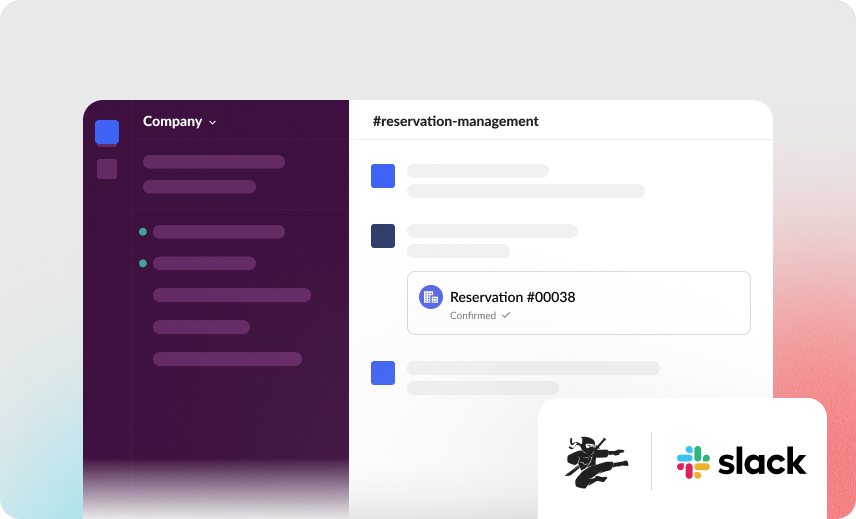
Keep Slack for conversations. Connect it to operational activity.
Booking Ninjas remains the system where bookings, billing, requests, events, and operational records are managed.
Slack can receive selected notifications so the right teams know when something needs attention.
Bring Operational Updates Into Slack
Send useful updates to the right Slack channel without relying on manual messages.

Workflow Notifications
Send selected Booking Ninjas events to Slack automatically.
Operational Alerts
Notify teams when a selected payment, request, booking, or service event occurs.
Channel Routing
Send different updates to channels for specific teams or workflows.
Faster Visibility
Bring important operational activity into the collaboration tool your team already uses.
From Workflow Event to Slack Notification
Choose which operational events should reach the team.

Event Happens
A booking, payment, request, approval, or other selected event occurs in Booking Ninjas.

Rule Is Triggered
The configured workflow decides whether a Slack notification should be sent.
Message Is Routed
Send the update to the selected Slack channel or workflow.
Team Responds
The team sees the update and continues the work in the appropriate system.
Use Slack for the Updates That Matter
Build notifications around the workflows your teams need to see quickly.
Booking Updates
Notify teams when selected reservation or booking events occur.
Payment Notifications
Send selected payment or billing updates to the appropriate team.
Request Alerts
Notify staff when an important customer or operational request needs attention.
Escalations
Route selected high-priority events to the right team or manager.
Organize Notifications Across Teams
Route Slack updates according to your locations, departments, or operational workflows.
- Location-specific channels
- Department channels
- Finance notifications
- Operations alerts
- Management escalations
- Workflow-specific updates
Control What Gets Shared
Configure Slack notifications around the information your teams actually need.
Selected Events
Choose which Booking Ninjas events should trigger a Slack notification.
Channel Routing
Define where different types of notifications should be sent.
Message Content
Keep notification content focused on the information required by the workflow.
Slack Controls
Slack remains responsible for its own workspace, channel, user, and security settings.
Slack Integration Does Not Replace Booking Ninjas
Booking Ninjas remains the operational system where records and workflows are managed. Slack is the collaboration layer. What can be sent, displayed, or acted on in Slack depends on the configured workflow, available Salesforce and Slack capabilities, permissions, and implementation scope.
Verified in the Salesforce Ecosystem.
Booking Ninjas is listed on Salesforce AppExchange.
Pricing
Slack is a supported built-in integration where relevant to your Booking Ninjas setup.
Core Package
Starts with 1–50 Active Bookable Units.
- Booking Engine + Reservation System
- Availability Management + Rate Controller
- Group Booking
- Billing and Invoicing
- Request and Contact Management
- Property Management and Front Desk
- Check-in / Check-out
- Layout Builder / map-based booking
- Standard reports and dashboards
- Basic transactional communication
- Supported built-in integrations where relevant
- Unlimited Managed Units
- No per-reservation fee
Included Where Relevant
No separate Slack add-onSupported Slack integration is included with Core where it fits the agreed setup. Configuration and implementation work are scoped around the workflow you need.
- Slack workspace connection
- Selected workflow events
- Channel routing
- Notification content
- Permissions and access
- Testing and rollout
Manual Team Updates vs Slack Integration
Bring selected operational events to the team without manually sending every update.
| Capability | Manual Updates | Booking Ninjas + Slack |
|---|---|---|
| Operational alerts | Sent manually | Can trigger automatically |
| Channel routing | Person chooses each time | Can follow configured rules |
| Payment updates | Shared separately | Can notify the selected channel |
| Request alerts | Depends on manual follow-up | Can trigger from the workflow |
| Team visibility | Spread across messages | Updates reach the chosen Slack channel |
Frequently Asked Questions

Connect Booking Ninjas With Slack
Tell us which operational updates your teams need to see in Slack.