
Financial Reporting
See booking, billing, payment, and operational data in Salesforce reports and dashboards.
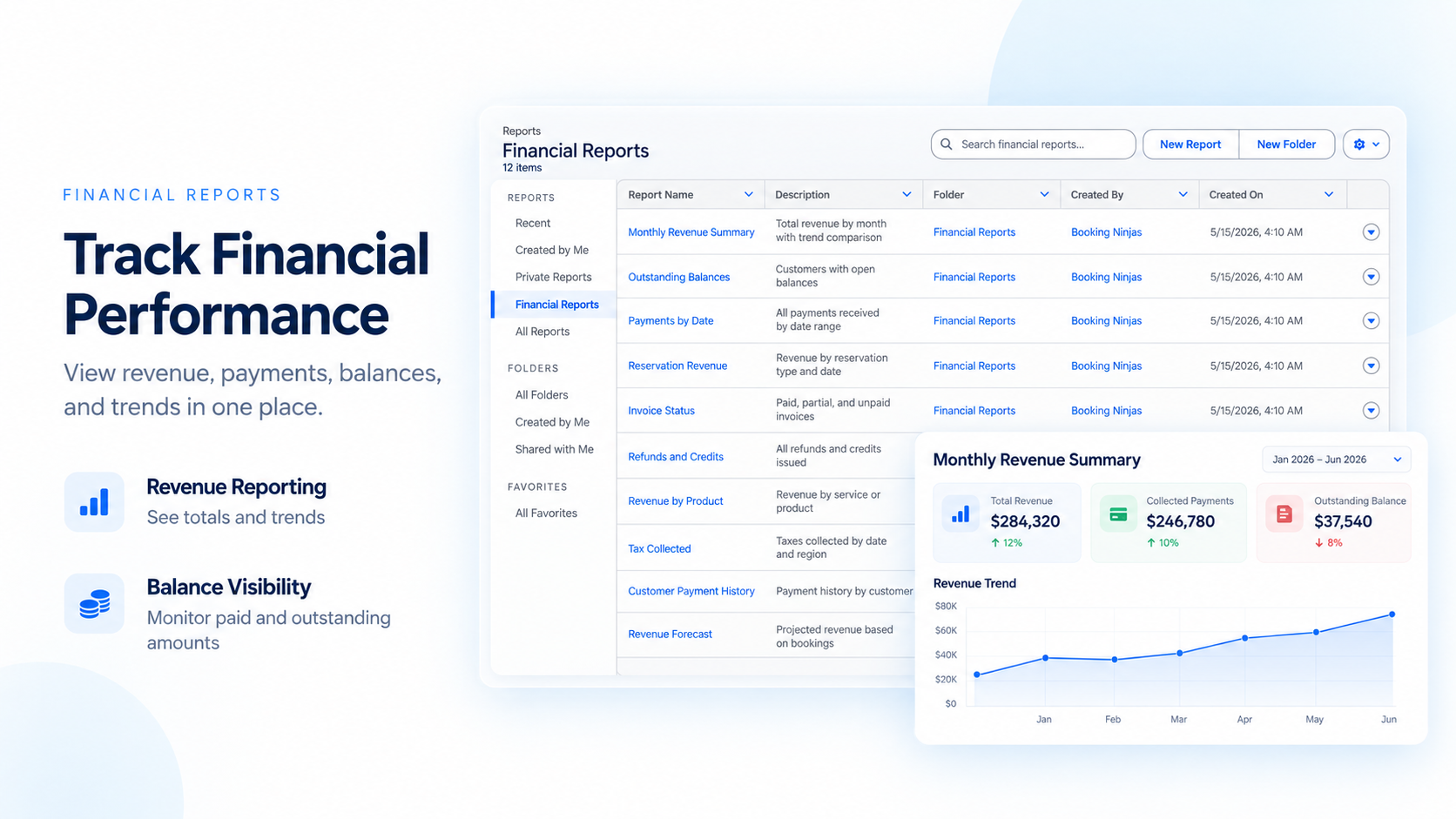
Report From the Same Records
Use the data already captured in Booking Ninjas instead of rebuilding reports in separate spreadsheets.

Revenue
Review billed and recorded revenue from the same operational data.
Invoices
Track invoice status, balances, and billing activity.
Payments
Review payment status and recorded transaction activity.
Operations
Compare financial records with booking and operational activity.
Build Reports for the Team
Use Salesforce reporting tools to filter, group, compare, and review the records that matter.
By Time Period
Compare daily, monthly, quarterly, or custom periods.
By Property or Location
Review records by the property or location used in the setup.
By Customer or Account
See financial activity tied to the customer or account.
By Booking or Service
Review financial activity around the booking or service that created it.
Turn Records Into Clear Views
Keep the reporting simple: choose the records, filters, and views your team needs.

Reports
Build structured reports from Booking Ninjas and Salesforce records.

Dashboards
Put key report views together for faster review.
Filters
Filter by date, property, customer, booking, status, or other configured fields.
Exports
Export report data when the team needs to work with it outside the platform.
Works With the Core Billing Flow
Financial reporting uses the same billing, invoice, payment, and history records already captured by the platform.
Pricing
Standard reports and dashboards are included with Core. There is no separate Financial Reporting subscription.
Core Package
Starts with 1–50 Active Bookable Units.
- Booking Engine + Reservation System
- Invoicing and Billing
- Recurring Billing
- Standard reports and dashboards
- Unlimited Managed Units
Custom Reports & Dashboards
Implementation scopeSpecial report layouts, custom fields, data cleanup, integrations, and other reporting requirements are reviewed during implementation.
- No separate Financial Reporting subscription
- Standard reporting is included in Core
- Custom reporting depends on the requested setup
- External BI or accounting tools may be separate
Spreadsheets vs Booking Ninjas Reporting
Keep reporting close to the records instead of rebuilding the same information by hand.
| Capability | Spreadsheet Reporting | Booking Ninjas | External BI Tool |
|---|---|---|---|
| Source data | Manual imports | Same BN / Salesforce records | Needs data connection |
| Standard reports | Built manually | Included in Core | Built separately |
| Dashboards | Manual or limited | Salesforce dashboard context | Usually supported |
| Filtering | Manual setup | Use configured report fields | Depends on model |
| Operational context | Separate files | Connected to bookings and billing | Needs integration |
| Separate subscription | No | No separate Reporting SKU | Usually yes |
Frequently Asked Questions

Need Clearer Financial Reporting?
Start with Core reports, then configure the dashboards and views your team needs.