
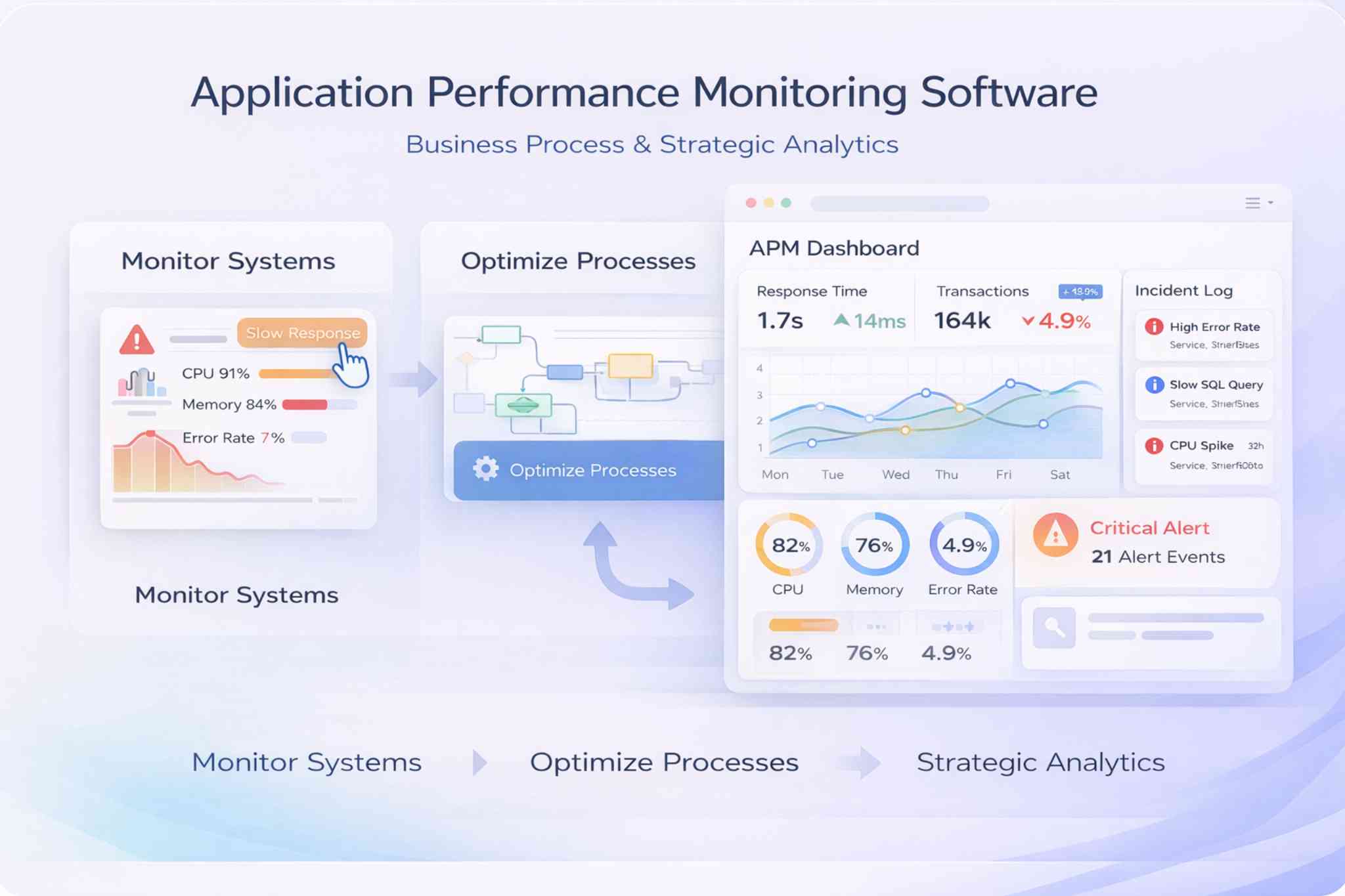
Application & Workflow Performance Monitoring on Salesforce

Track application activity, workflow performance, response trends, and operational KPIs in Salesforce. Connect dedicated observability tools when deeper infrastructure or code-level monitoring is required.

Application Performance Monitoring Dashboard

Operational Monitoring in Salesforce. Deep Observability Can Stay External.

Booking Ninjas focuses on the application, workflow, transaction, and operational signals that matter to teams using Salesforce-based processes.

Low-level infrastructure monitoring, distributed tracing, code profiling, log aggregation, or host-level observability can remain in dedicated tools and connect to Booking Ninjas when those events need to trigger operational workflows.

Monitor Application & Workflow Health

Track selected Salesforce, integration, transaction, and workflow signals so teams can review slowdowns, failures, and performance changes from the same operating environment.

icon

Salesforce Performance Signals

Track selected Salesforce and integration performance indicators relevant to the Booking Ninjas environment.

icon

Transaction & Response Trends

Review selected response-time, transaction, and request-flow metrics when those signals are available.

icon

Bottleneck Review

Surface recurring slowdowns or performance constraints for investigation.

icon

Workflow Failure Tracking

Track failed or incomplete workflows and route exceptions into defined follow-up processes.

Analyse Workflow Performance

Use workflow history and operational records to see where work slows down, how long steps take, and how performance differs across teams or locations.

Workflow Mapping

Map key workflow stages across teams, departments, or business units.

Delay & Queue Review

Identify steps, queues, or handoffs that contribute to longer completion times.

Throughput & Task Time

Measure workflow volume, completion time, and selected task-duration metrics.

Workflow Benchmarking

Compare selected workflow metrics across teams, departments, or locations.

Connect Performance to Operational KPIs

Relate workflow and application performance to the KPIs leadership already uses for service, operations, and growth.

Performance & Revenue Context

Compare selected performance signals with revenue or service outcomes where the data supports a useful relationship.

KPI Monitoring

Track operational KPIs tied to defined initiatives, service levels, or management goals.

Trend Review

Review performance trends alongside other operating metrics to support planning.

Management Dashboards

Give leadership dashboards that summarise selected workflow, system, and operational metrics.

Surface Performance Gaps & Exceptions

Use selected monitoring and workflow signals to highlight exceptions, missed targets, or recurring performance issues for review.

  • Review recurring workflow failures
  • Compare performance issues with business impact
  • Track selected SLA or service metrics
  • Compare workflow and operating benchmarks

Performance Monitoring in the Salesforce Operating Context

Booking Ninjas can connect performance and workflow records to Salesforce users, tasks, cases, approvals, dashboards, and operational reporting.

  • Salesforce workflow context
  • Operational dashboards
  • Role-based access controls
  • Cross-team analytics
  • Workflow monitoring
  • Operational KPI tracking
  • Portfolio performance views
  • Performance reporting
  • Governance and review workflows
  • Connected monitoring architecture

Optional AI-Assisted Performance Analysis

Add AI when you need help summarising performance data, finding recurring patterns, comparing trends, or surfacing possible risks. AI is separate from the core monitoring workflow.

AI-Assisted Operational Insight

Use approved performance and workflow history to support deeper review.

Slowdown Risk Signals

Use available history and current signals to surface patterns that may warrant investigation.

Workflow Risk Review

Surface recurring failure or delay patterns across selected workflows.

Business Impact Analysis

Compare selected performance issues with revenue or service data to support scenario review.

Process Recommendations

Generate possible workflow-improvement recommendations for staff review.

Add-on feature

Application & Workflow Performance Pricing

Add performance and workflow monitoring to your current Booking Ninjas plan. Pricing depends on the monitored workflows, metrics, dashboards, alerting, data sources, integrations, and support requirements.

Advanced monitoring scope

External Observability & AI-Assisted Analysis

Pricing Custom after review

For external APM or observability integrations, higher-volume metrics, custom alerting, complex correlation, or optional AI-assisted analysis.

  • Dedicated APM or observability integrations
  • Custom event, metric, or alert ingestion
  • Advanced performance correlation and reporting
  • Optional AI pattern review and recommendations
One-time implementation fee Discussed based on scope

We review workflows, metrics, data sources, dashboards, alerts, integrations, permissions, reporting, testing, governance, and launch requirements.

Learn why?

Dedicated APM or observability platforms, log-management tools, external infrastructure, Salesforce products or licences, third-party vendor fees, custom integrations, and AI add-ons are not implied as included.

Where Booking Ninjas Fits in Performance Monitoring

Booking Ninjas focuses on Salesforce workflow and operational performance. Dedicated observability tools remain better suited to deep infrastructure and code-level monitoring.

Capability Basic Salesforce Reporting Dedicated APM / Observability Tool
Workflow performance Reports and dashboards Operational workflow metrics + context Requires business-process integration
Tasks, cases & follow-up Handled in Salesforce Can connect directly to monitored workflows Usually external to the operating workflow
Infrastructure telemetry Limited Can ingest selected external signals Core strength
Code-level tracing Limited Not the primary role Core strength
KPI & business context Salesforce reporting Connected to operational records Requires business-data connection
AI analysis Depends on Salesforce setup Optional AI add-on Depends on observability vendor
Best fit Standard reporting Operational monitoring in Salesforce Deep technical observability

Frequently Asked Questions

What does Application Performance Monitoring cover in Booking Ninjas?

It focuses on selected Salesforce applications, workflows, transactions, responses, KPIs, SLAs, and operational performance signals relevant to Booking Ninjas workflows.

Does Booking Ninjas replace tools such as Datadog or New Relic?

Not necessarily. Dedicated APM and observability tools are better suited to deep infrastructure telemetry, code-level tracing, host monitoring, and log analysis. Booking Ninjas focuses on the operational workflow and Salesforce context, and external monitoring tools can connect when needed.

Can performance issues trigger Salesforce workflows?

Yes, when the relevant metric or event is available and the workflow is configured. Performance or failure signals can be used to create tasks, cases, alerts, escalations, or other approved follow-up actions.

Is AI required for performance monitoring?

No. Core dashboards, workflow metrics, KPI reporting, and exception tracking do not require AI. AI-assisted pattern review, summaries, risk signals, or recommendations are optional and scoped separately.

How much does Application & Workflow Performance Monitoring cost?

Application & Workflow Monitoring starts from £500 per month on top of the current Booking Ninjas plan. External observability integrations, complex monitoring, or AI-assisted analysis are priced after scope review.

Why is implementation scoped separately?

Implementation depends on the workflows, metrics, data sources, dashboards, alerts, integrations, permissions, reporting, testing, and governance required. Learn why implementation is discussed before a final price .

Monitor the Workflows That Matter Most

Start with the application, transaction, or workflow where performance issues create the most operational friction. Then define the metrics, dashboards, alerts, integrations, and response workflows around it.

Напишіть нам у WhatsApp

Напишіть нам у WhatsApp
