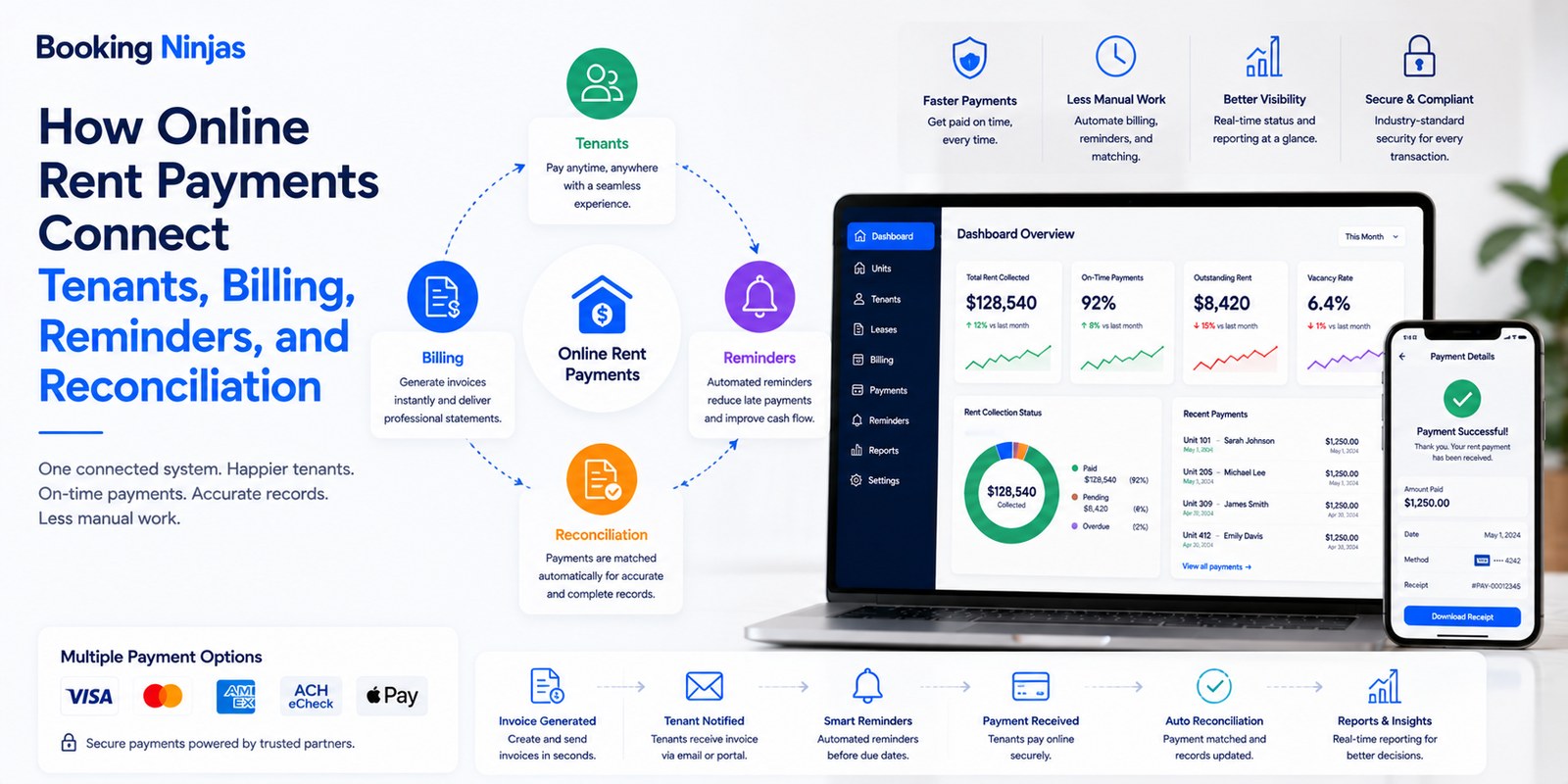
Online rent payment is more than giving a tenant a digital payment button. A complete rent-collection workflow connects the tenant, lease or billing obligation, invoice, payment method, transaction, account balance, reminder history, reconciliation, and financial reporting.
This shifts the discussion from whether online payment is simply “more convenient” to how billing and payment records move through the property-management operation.
What is online rent payment?
Online rent payment allows a tenant to submit an eligible rent or housing-related payment electronically through a portal, hosted payment page, payment link, or another approved digital payment process.
The payment itself is only one part of the workflow. The property operator also needs to know:
- Which tenant is responsible?
- Which property or unit is involved?
- What amount is due?
- What does the charge represent?
- When is payment due?
- Which payment options are permitted?
- Whether the transaction succeeded
- How the payment affects the invoice balance
- Whether an exception needs follow-up
- How the transaction reaches reporting
A useful rent-payment system therefore connects billing and payment information instead of treating a transaction as an isolated event.
How does an online rent payment workflow work?
Rent and other eligible charges are connected to the tenant, agreement, property, billing period, and due date.
The tenant receives the invoice, balance, payment request, or reminder according to the configured billing workflow.
The tenant submits an eligible payment through the configured portal, link, gateway, or processor.
Payment status is connected back to the invoice and account so teams can review balances, exceptions, and reporting.
1. Online payments give tenants a direct payment path
A digital payment path can reduce the need for tenants and property teams to coordinate physical checks, cash handling, office visits, or manual payment instructions.
Through a tenant-facing portal, the resident can potentially see:
- Open invoices
- Amount due
- Due date
- Payment history
- Previous invoices
- Eligible payment options
- Payment confirmation
- Account-related information
Booking Ninjas' Tenant Portal connects tenant self-service with invoices, payment history, residential records, maintenance requests, communication, and other configured tenant workflows.
2. Payment reminders can follow the billing schedule
Rent collection often follows predictable due dates. That makes reminders well suited to rule-based workflow automation.
A configured reminder process can define:
- Pre-due reminders
- Due-date notifications
- Overdue follow-up
- Reminder frequency
- Recipient
- Communication channel
- Escalation rules
- Exceptions for disputed invoices
Booking Ninjas' Payment Reminder supports scheduled reminders, pre-due alerts, overdue follow-up, recurring payment notifications, and configurable escalation workflows.
A reminder can make the due date more visible. It cannot guarantee that a tenant will have the funds available or complete the payment on time.
3. Recurring billing can structure monthly rent
Rent is commonly recurring, but two concepts should be kept separate:
| Process | What it does | Important distinction |
|---|---|---|
| Recurring billing | Generates or manages charges and invoices according to a defined schedule. | It does not necessarily move money from the tenant's account. |
| Automatic payment | Initiates an authorized transaction through the configured payment provider. | Availability depends on the provider, authorization, payment method, and implementation. |
| Payment reminder | Notifies the tenant of an upcoming or outstanding amount. | It communicates a payment obligation but does not complete the transaction. |
Booking Ninjas' Recurring Billing can structure monthly, quarterly, annual, or custom billing cycles and connect recurring invoices with customer and operational records.
4. Digital payment options can connect through a payment gateway
The property-management platform does not operate independently from the payment infrastructure.
Depending on the payment gateway, processor, geography, account configuration, and implementation, a property may support eligible digital payment methods such as card payments or bank transfers.
Booking Ninjas' Payment Gateway Integration can connect payment providers with property records, billing workflows, transaction status, and reporting.
Its Online Payment Collection capability supports payment links, hosted payment experiences, invoice tracking, and configured digital payment workflows.
Exact payment methods and settlement behavior should be confirmed for the selected processor and implementation rather than assumed from the PMS alone.
5. Does paying rent online automatically make payments more secure?
No.
Moving away from physical cash or checks changes the risk model, but digital payments introduce their own requirements around payment providers, authentication, account access, integrations, devices, fraud, transaction data, and operational controls.
A property operator should understand:
- Which processor handles the transaction
- Where sensitive payment information is processed
- Which system stores payment references
- Who can initiate or refund payments
- How transaction status is returned
- How payment credentials are protected
- How activity is monitored
- Which PCI DSS responsibilities apply
A PMS or payment integration can support secure payment workflows, but it should not be treated as an automatic guarantee of payment security or PCI compliance.
6. Payment history creates a clearer account record
Digital collection is particularly useful when each transaction is connected to the invoice and tenant account that explains it.
A structured account history can show:
- Invoice date
- Amount billed
- Due date
- Amount paid
- Payment date
- Transaction status
- Outstanding balance
- Reminder activity
- Adjustments or credits
- Related account history
This gives property and finance teams a common record to investigate when a tenant asks about a balance or payment.
It does not eliminate disputes. A disagreement can still involve the lease, charge calculation, payment authorization, failed transaction, refund, bank activity, or another issue beyond the transaction record itself.
Why does payment reconciliation matter after the tenant pays?
A successful payment message is not the end of the financial workflow.
Property and finance teams may still need to determine:
- Which invoice the payment belongs to
- Whether the full amount was received
- Whether the transaction settled
- Whether an adjustment is required
- Whether a refund occurred
- Whether a payment failed or reversed
- Which balance remains outstanding
- How the transaction reaches finance reporting
This is why rent collection should connect payment processing with invoice status, reconciliation, and reporting instead of stopping at the checkout screen.
What happens when a rent payment does not follow the normal path?
Payment systems need an exception workflow as well as a successful payment workflow.
Exceptions can include:
- Failed payment
- Partial payment
- Duplicate payment
- Incorrect charge
- Disputed invoice
- Refund
- Reversal
- Payment-plan request
- Unmatched transaction
- Overdue balance
The correct response depends on the lease or agreement, payment provider, organization policy, local requirements, and the specific financial event.
Automation can route predictable exceptions, pause reminders, update status, or assign follow-up. Judgment may still be required for disputes, concessions, legal matters, unusual balances, or other consequential decisions.
What should an online tenant payment portal provide?
A tenant portal should make the billing relationship understandable, not simply expose a payment form.
| Portal capability | Why it matters |
|---|---|
| Invoice visibility | Shows the tenant what has been billed and the amount due. |
| Payment history | Provides a record of previous tenant-facing payment activity. |
| Online payment path | Allows eligible payments through the configured provider. |
| Payment status | Helps the tenant understand whether a payment has been recorded or remains outstanding. |
| Reminders and notifications | Connects communication with billing events and due dates. |
| Account context | Connects billing with the correct tenant, property, unit, or agreement. |
| Support path | Gives the tenant a way to raise a question or exception when self-service is not sufficient. |
Requirements can differ across residential, student, corporate, commercial, association, and other property models. The portal should therefore reflect the actual billing relationship rather than use one universal rent-payment workflow for every property type.
Does paying rent online improve a tenant's credit score?
Not by itself.
Recording an online rent payment inside a property-management system is different from reporting rent-payment information to a credit bureau or another credit-reporting service.
Any credit-reporting effect depends on the reporting arrangement, provider, jurisdiction, tenant account, and applicable rules. A property operator should not promise that using an online payment portal will improve a tenant's credit score.
Do online rent payments guarantee faster collection or better cash flow?
No.
Online collection can remove some payment friction and reduce manual follow-up in a configured workflow. It can also give teams clearer visibility into open invoices, payment status, and overdue accounts.
But actual collection performance still depends on factors such as tenant finances, due dates, lease terms, disputes, payment-provider performance, fees, failed payments, reminder strategy, economic conditions, and property-management procedures.
How should property managers set up an online rent-payment workflow?
- Define the billing obligation. Map the lease, rent, recurring charge, additional fees, due dates, and billing rules that create the amount owed.
- Connect the tenant and property. Ensure each invoice is associated with the correct tenant, unit, agreement, and billing period.
- Select the payment architecture. Determine the gateway, processor, supported methods, authorization model, fees, settlement process, and integrations.
- Configure the tenant-facing experience. Decide what tenants can view, pay, download, update, or question through the portal.
- Configure reminders. Define pre-due, due-date, overdue, escalation, and dispute-aware communication workflows.
- Separate billing from payment. Define when invoices are generated separately from whether authorized automatic payments are available.
- Define reconciliation. Decide how transactions update invoices, balances, settlements, and finance records.
- Design exception workflows. Handle failed, partial, duplicated, disputed, refunded, reversed, or unmatched transactions.
- Define access and governance. Determine which employees can view financial data, make adjustments, issue refunds, or change billing settings.
- Review reporting. Monitor invoices, payments, outstanding balances, exceptions, and reconciliation history using defined financial records.
How does Booking Ninjas connect online rent collection?
Booking Ninjas is a Salesforce-native platform for bookings and operations . Residential property records, tenants, billing, payments, communication, workflows, reporting, and integrations can therefore share the broader Salesforce platform foundation according to the configured implementation.
The purpose is not simply to put a checkout page online. It is to connect the payment with the tenant, property, invoice, reminder, transaction status, account balance, exception workflow, and reporting around it.
Connect properties, units, residents, leasing, payments, maintenance, and residential operations.
Explore Residential Management →Give tenants controlled access to invoices, payment history, online payments, requests, and account information.
Explore Tenant Portal →Connect payment links, hosted payment experiences, invoice status, and digital collection workflows.
Explore Online Payment Collection →Structure scheduled billing cycles for rent and other recurring charges.
Explore Recurring Billing →Configure pre-due, overdue, recurring, and escalation-based payment communication.
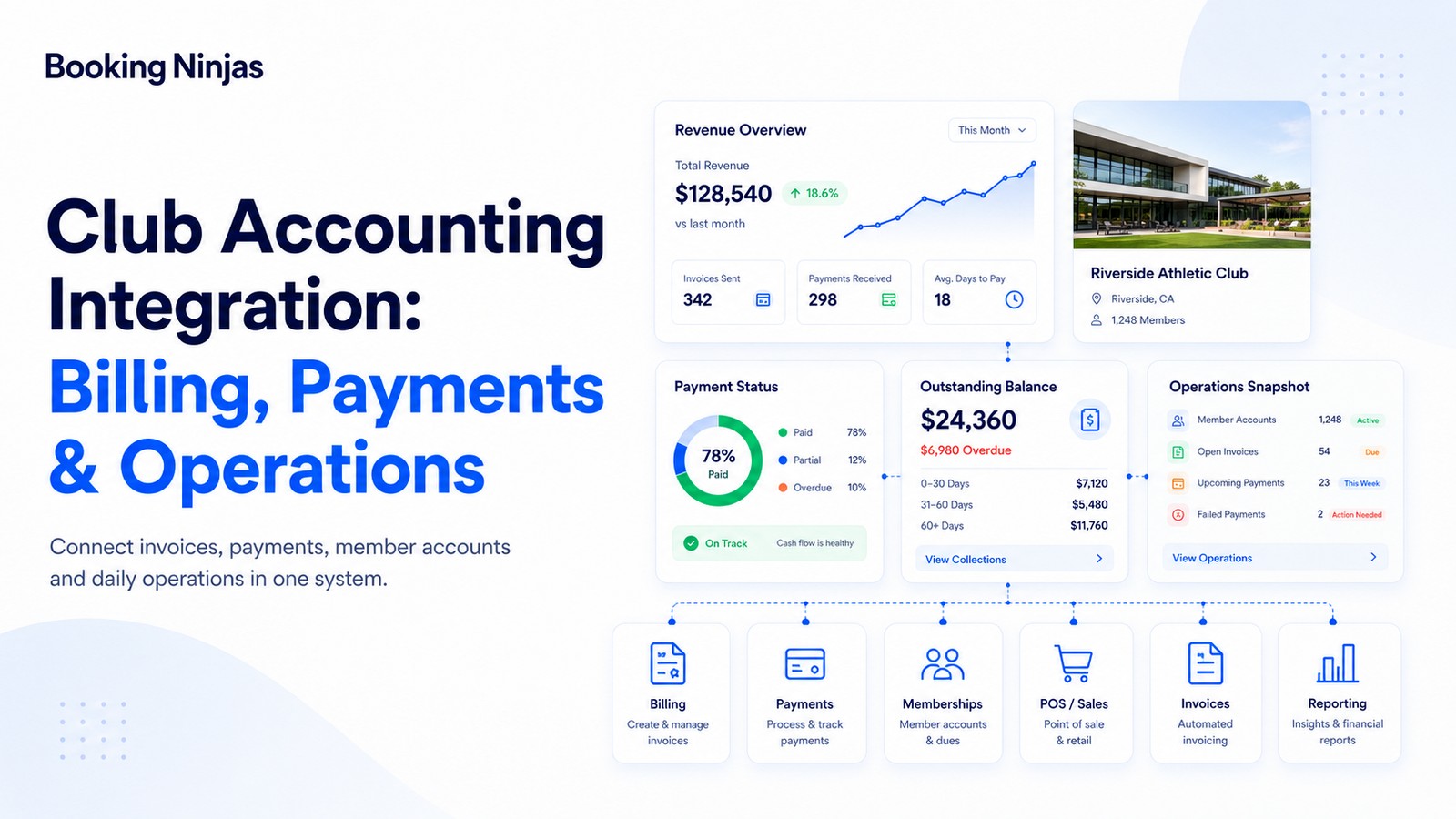
Explore Payment Reminder →Connect invoices, digital collection, transactions, reconciliation, and financial reporting.
Explore Billing & Payment →Connect supported payment providers with property and billing workflows.
Explore Payment Gateway Integration →Frequently asked questions
What is online rent payment?
Online rent payment allows a tenant to submit an eligible housing-related payment electronically through a portal, hosted payment page, payment link, or another approved digital payment process connected with the property's billing workflow.
What should an online rent-payment system track?
A useful system can connect the tenant, property or unit, billing obligation, invoice, amount due, due date, transaction, payment status, balance, reminder history, exceptions, and financial reporting.
Is recurring billing the same as automatic rent payment?
No. Recurring billing manages charges or invoices on a defined schedule. Automatic payment concerns an authorized transaction through the configured payment provider. A system can support recurring billing without automatically debiting the tenant.
Can tenants see their payment history online?
Yes. Booking Ninjas Tenant Portal can provide tenants with access to invoices, billing statements, payment history, and related account information according to the configured portal and permissions.
Do payment reminders guarantee on-time rent?
No. Automated reminders can make upcoming and overdue obligations more visible and provide a consistent follow-up process, but they cannot guarantee that a tenant will complete payment by the due date.
Does paying rent online improve a tenant's credit score?
Not by itself. Recording an online payment in a property-management system is different from reporting payment information to a credit bureau or credit-reporting service. Any credit effect depends on the separate reporting arrangement and applicable requirements.
Are online rent payments automatically secure?
No. Security depends on the payment provider, authentication, access controls, integrations, transaction handling, devices, governance, monitoring, and other parts of the payment architecture. A digital payment option does not by itself guarantee security or compliance.
Is Booking Ninjas online rent-payment software built on Salesforce?
Yes. Booking Ninjas is Salesforce-native, allowing tenant records, property information, billing, payments, reminders, workflows, reporting, and integrations to use the broader Salesforce platform foundation.
Connect rent collection to the billing workflow behind it
See how Booking Ninjas can connect tenants, properties, invoices, payment collection, reminders, account history, reconciliation, and reporting within one Salesforce-native operating environment.